

System Integration / Event verification
Connecting the Alarm to Security Cameras
Connecting the alarm to the security cameras: when the alarm goes off, the relevant camera is already showing what's happening — so you can tell within seconds whether it's a break-in or a false alarm.
Example scenario
What happens when the alarm detector detects movement



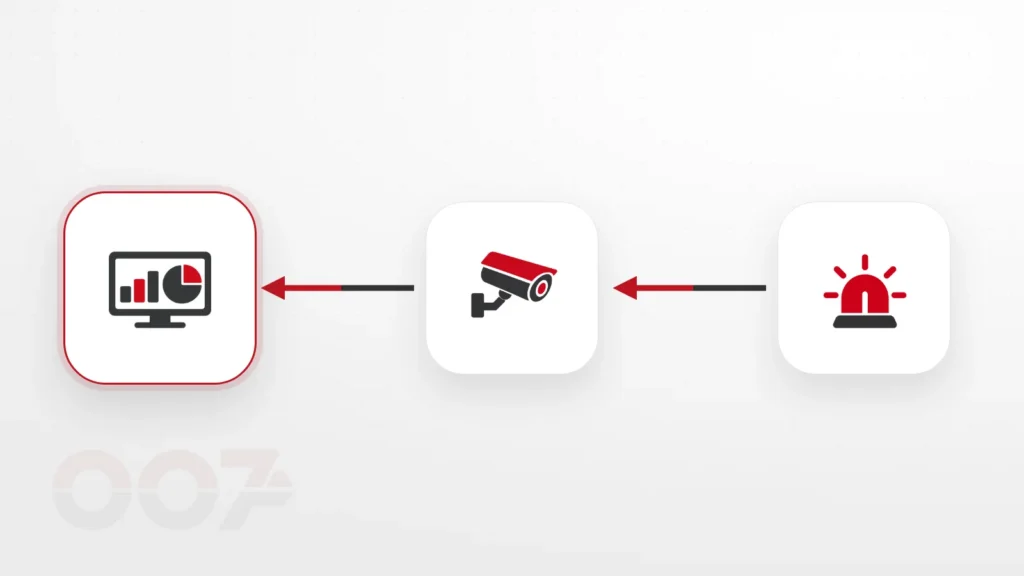
- A detector in one of the zones detects movement and reports to the alarm system.
- The system knows which camera covers this zone.
- You receive an alert with a picture, and see immediately whether it's a break-in or a false alarm.
The scenario is illustrative. The actual activations are set according to the building's design and the safety consultant's instructions.
What the service includes
What the connection makes possible
Linking zones to cameras
Each detector or alarm zone is linked to a camera or group of cameras that cover it.
Alert with a picture
During an event you receive an alert together with a picture or video clip from the area, depending on the systems' capabilities.
Instant viewing
Going straight to the live view of the relevant camera from the phone or the viewing station.
Saving the event
Marking and saving the video clips around the moment of the event, so they are easy to find.
Fewer false alarms
Visual verification makes it possible to quickly distinguish between a real event and an accidental activation.
Matching existing systems
Checking compatibility between the existing alarm system and camera system, and recommending an upgrade if needed.
How we work
Every zone gets eyes.
We connect each alarm zone to a camera that shows it — and check the result on site.
-
Mapping
The alarm zones and the cameras that cover them.
-
Compatibility check
Whether the existing systems support the connection.
-
Configuration and connection
Linking zones, alerts and viewing permissions.
-
Scenario test
Triggering zones and checking the picture received.
Why it matters
Two systems you already have — work better together.
Many businesses have both an alarm and cameras, but they operate separately. Connecting them doesn’t necessarily require replacing equipment, and it turns every alert into information you can act on. More about the systems themselves: alarm systems and security cameras.
Why connect the alarm to the cameras
An alarm without a picture leaves the business owner or the monitoring center facing a question: drive to the site, call the police, or ignore it? Connecting the alarm system to the cameras gives the answer within seconds — each alarm zone is linked to the camera that covers it, and the alert arrives with a picture or video clip.
Fewer false alarms, faster response
Visual verification makes it possible to tell immediately between a break-in and a cat that triggered a detector, and prevents unnecessary trips in the middle of the night. When there is a monitoring center, it receives the picture together with the alert and can decide more quickly how to act.
Without necessarily replacing equipment
Many businesses already have both an alarm system and security cameras, but they don’t talk to each other. Sometimes the connection is possible with the existing equipment, and sometimes an interface component or a targeted upgrade is needed. The service is available in the North — from Netanya and Hadera, through Haifa, Afula and Nof HaGalil, to Kiryat Shmona and the Golan Heights.
Photos
from the field.
Frequently asked questions
Frequently asked questions about connecting alarms and cameras
Do the existing systems need to be replaced?
Not always. Some systems support this kind of connection as they are, and in other cases an interface component is enough. We’ll check the existing equipment before any recommendation.
Can I get the alert with the picture on my phone?
In most systems, yes, via the alarm system’s or the cameras’ app.
Does this work with a monitoring center too?
Yes, when the monitoring center and the systems support it. Visual verification helps the center decide more quickly how to act.
What about privacy?
The cameras are aimed only at the required areas, and viewing permissions are set according to the users you choose.
Can only some of the zones be connected to cameras?
Yes. We start with the sensitive areas — entrances, storeroom, checkout — and expand later as needed.
Which areas do you carry out the connection in?
Across the North — from Netanya and Hadera, through Haifa, Afula and Nof HaGalil, to Kiryat Shmona and the Golan Heights.
Want to see what's happening when the alarm goes off?
Tell us which systems you have, and we'll check the possibility of connecting them.